■ KRIS by SQL View · B2B · Web & Outlook
Error messages people can act on.
Rewriting how KRIS talks to users when something goes wrong, from messages only a developer could understand to ones people can act on.
■ KRIS by SQL View · B2B · Web & Outlook
Rewriting how KRIS talks to users when something goes wrong, from messages only a developer could understand to ones people can act on.
The problem
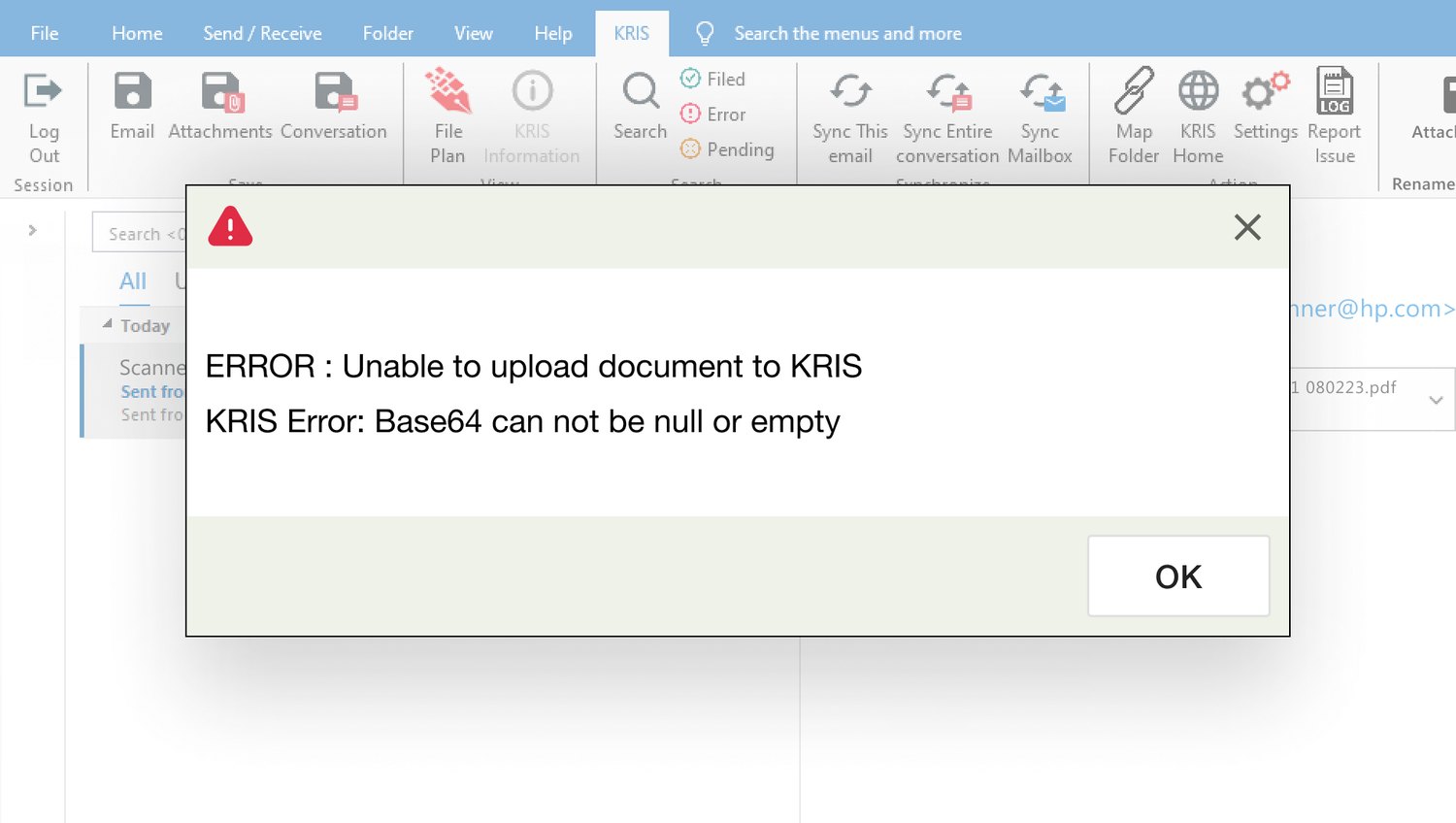
"ERROR: Unable to upload document to KRIS. KRIS Error: Base64 can not be null or empty."
That was the message.
"Base64 can not be null or empty" is a name from the code, not something a user could act on. KRIS is a document management system by SQL View, while Smart Mail Organizer is its Outlook plugin for filing emails and attachments into KRIS. When messages read like this, four problems followed:
Technical messages left people unsure what to do, so even minor issues went to support, pushing ticket volumes up unnecessarily.
Users rarely had enough context to explain what happened, so the team spent its time reconstructing it, reading logs, asking follow-ups, before they could even start solving the problem. Both sides ended up frustrated.
Messages had no shared tone, structure or guidance, so the same product felt inconsistent, and that chipped away at users' trust.
Each message had been written ad-hoc, so every new feature reinvented its own errors, inefficient to build and impossible to keep consistent.
The challenge
How might we turn error messages people can't act on into ones that help them fix the problem themselves, and do it consistently across the product?
What else got in the way
As there was no list of the errors to begin with, the first thing I needed was for the developers to compile them all, and they pushed back, understandably, since it was real extra work on top of their own. What convinced them wasn't that it helped users, it was that it helped them: every vague error became a support ticket that came back to them. I framed it as do-it-once-and-done, and with the PM backing it, we did it together.
The whole point was to rewrite the error messages, but the real difficulty was a step before that. Most were so technical that neither I nor the PM could tell what had actually gone wrong, and if we couldn't work it out, a user had no chance. So we ran regular review sessions with the PM and a developer, going through the messages line by line to work out what each one was really trying to say, before I drafted the new version.
Because Smart Mail Organizer is an Outlook plugin, there's no freedom to place custom banners or elements wherever I'd like. Whatever I designed had to work within those limits, which shaped the patterns I could realistically use.
Research and audit
Working with the developers, I pulled the first 170 error messages logged in Smart Mail Organizer and organised them by feature: Filing, Login, Treeview, Rest, and Search. Then I evaluated each against three questions:
I logged everything in one central error-message database: whether the cause was human or technical, the original text, how often it occurred (very common to very rare), its severity (low / medium / high), and a suggested improvement in language, action and tone. This became the shared reference the whole team worked from.
of 170 gave the user no actionable next step.
were too technical for a normal user to understand. The rest were a mix, some fine as they were, some just pointing users to support.
The framework
Instead of fixing messages one by one, I built a framework any message could be run through. It came down to three moves:
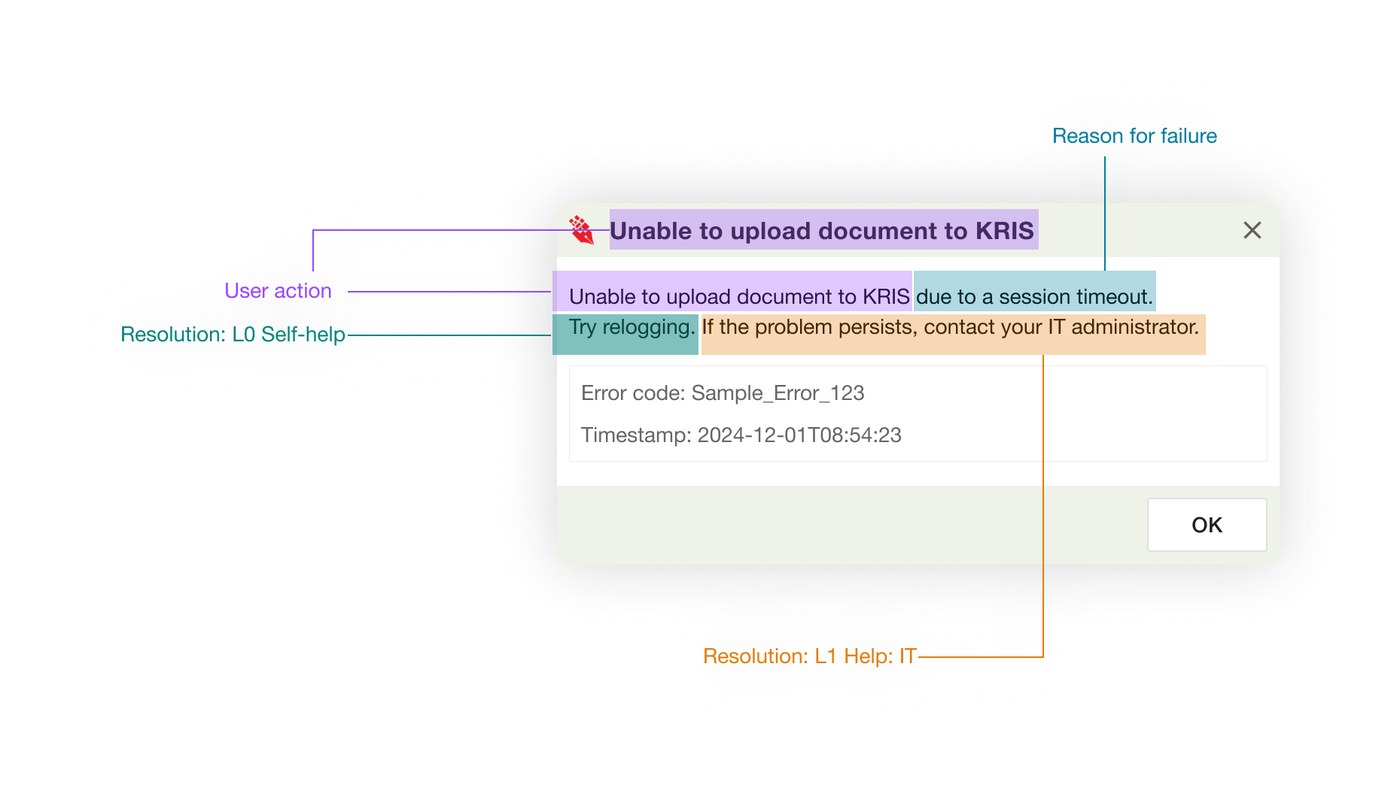
Replace the jargon with plain language, what actually happened, in words a user understands.
Give people a way forward: a next step where they can self-solve, and an error code and timestamp so support can pick it up when they can't.
Show the right guidance for the situation, based on the user's role and context, rather than one generic line for everyone.
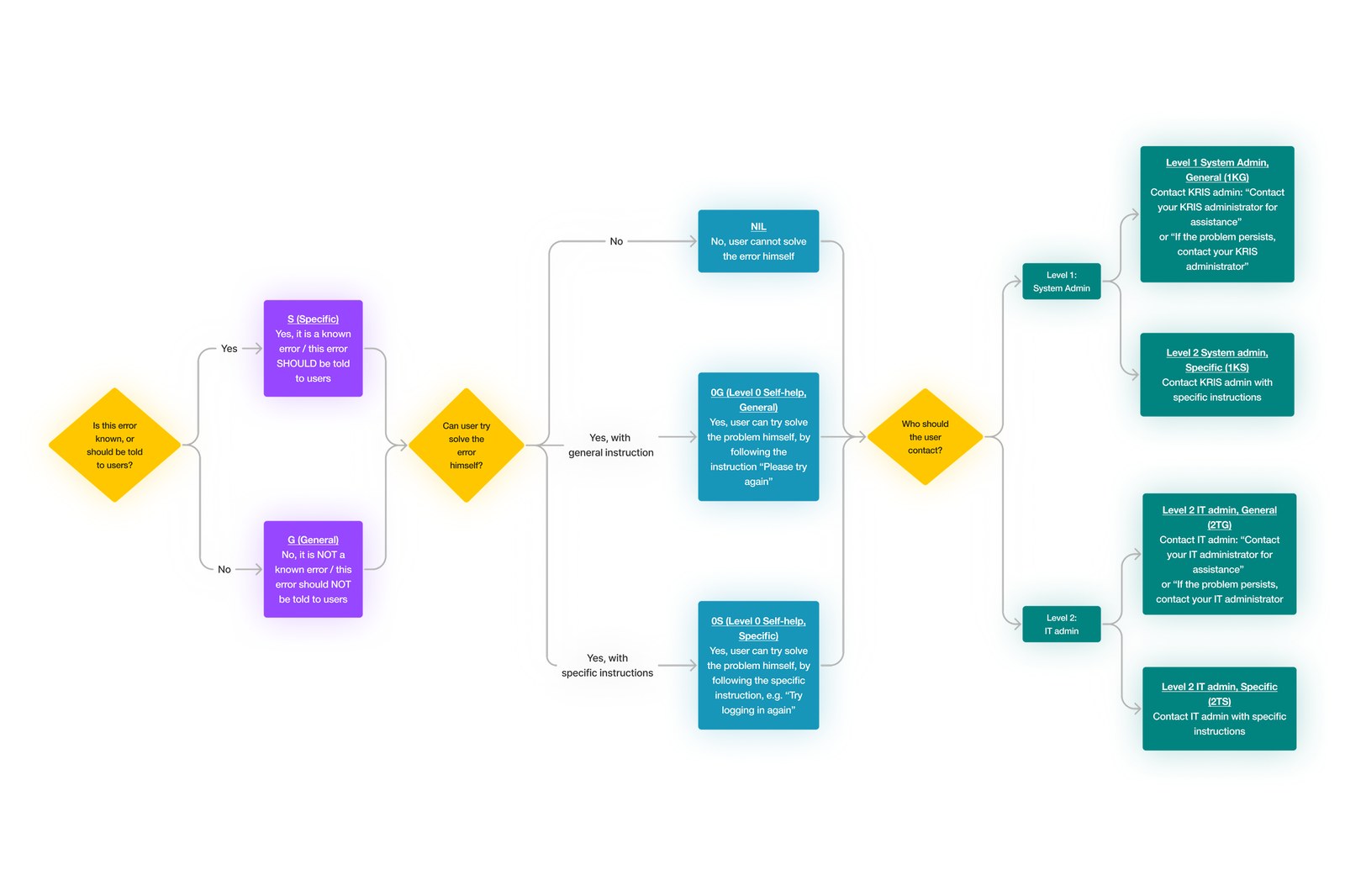
Underneath sat a decision tree for every error: is this something the user should even be told about? Can they solve it themselves, with general or specific instructions? And if not, who should they contact, and how specific should that direction be? That logic is what let the same rules produce the right message every time.
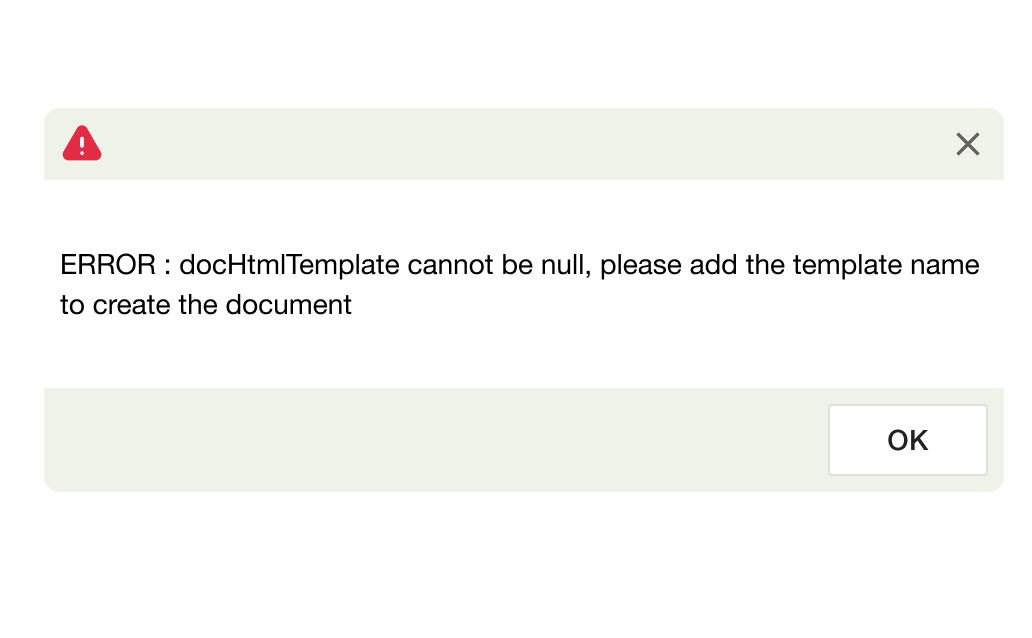
How a message appeared depended on its severity, and on what an Outlook plugin allowed:
What shipped
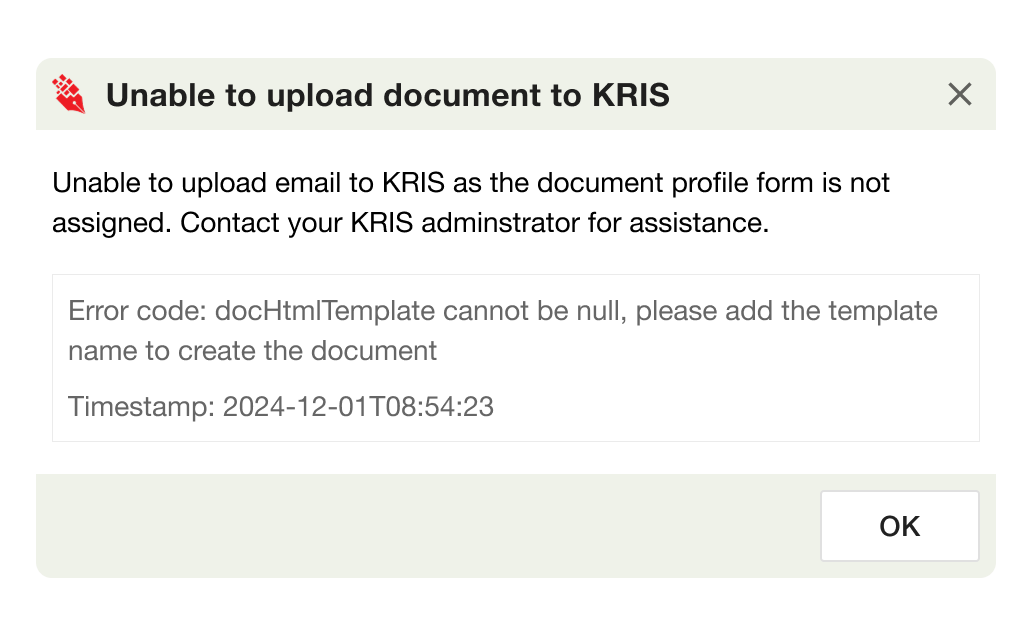
The same failure revised. From a code reference to a message that says what happened and what to do, with the original code kept for support.
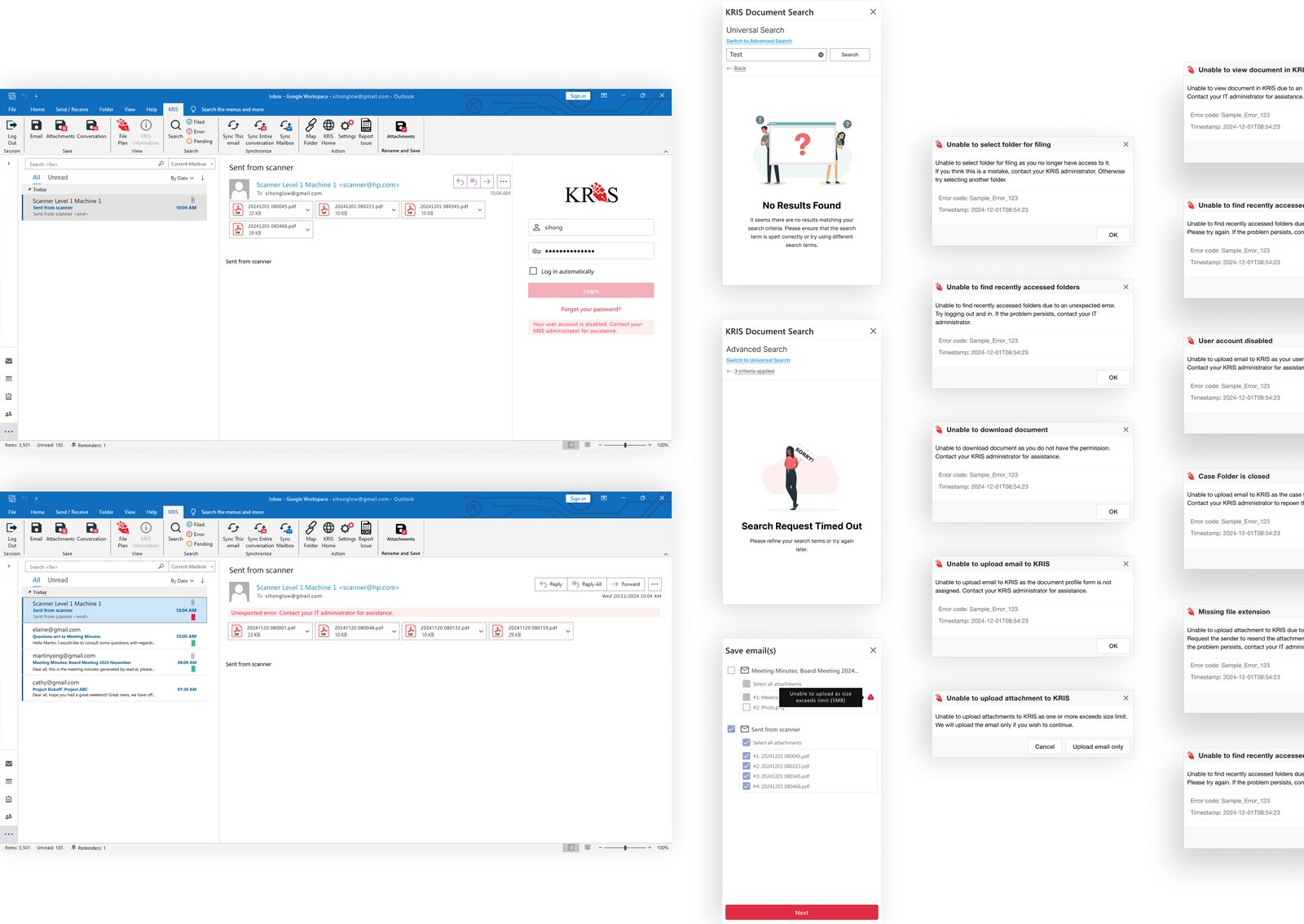
The redesigned messages went live about a month after I handed off, in 2024. The bigger prize was the framework: it became the template for how error handling is approached across other KRIS modules, so the next feature doesn't start from scratch.
I can't point to a number. SQL View tracked ticket volume but didn't surface it in a way I could use, and I'd moved on by the time any change would have shown. Before launch we expected a 20–30% drop in low-priority tickets; I'd treat that as the hypothesis, not the result. Next time I would decide what to measure, and what a good result looks like, before we begin.
Looking back
The developers didn't come on board because it was good for users, they came on board when they saw it meant fewer tickets landing back on them. That's stuck with me. Getting people behind your work takes empathy, plain communication, and showing them the payoff down the line, not just why it's right.
We were ~70% done, maybe another week of working through errors with the developer left. Then he switched teams and this project got put on hold. It was a shame as we had been making good progress. Fortunately, the framework made it easy for me to pick up this project even though it was halted for over eight months. Without the framework, I would have spent far more time fitting each new case in from scratch.
There was no record of the errors when we started, so the first job was compiling them from scratch. It made me realise how rarely teams document as they go, error handling especially. Companies tend to value the work that makes you look productive, and documentation rarely counts, but it's a small, boring habit that saves you at exactly the wrong moment.